Despite the push businesses have made to bring employees back into the office, remote work remains a central feature of how companies hire. And with remote hiring comes a compliance process many startup founders underestimate: verifying a new hire's eligibility to work in the US through Form I-9.
The rules around remote I-9 verification have changed significantly since 2023, and 2026 has brought even more updates employers need to know about. The current Form I-9 is dated 01/20/2025, valid through May 31, 2027. The previous 08/01/2023 version expired July 31, 2026 and can no longer be used for new hires or reverifications. Beyond the form update, 2026 also brought the nationwide launch of E-Verify+ and an expanded set of ICE enforcement rules, increasing the financial risk of getting this process wrong.
Here's what startup founders need to know about remote I-9 verification in 2026:
- Why are employers required to collect Form I-9?
- What is E-Verify?
- Current guidelines for verifying Form I-9 remotely
- How do employers verify I-9 documentation for remote employees?
- Three tips to overcome remote I-9 verification challenges
- What's changed in 2026: ICE enforcement updates
Why are employers required to collect Form I-9?
The Department of Homeland Security requires new employees to submit Form I-9, along with supporting documentation, to their employer as part of the onboarding process. Employers use the information employees provide to verify their identity and eligibility to work in the US.
Companies that fail to complete the employment eligibility verification process may be subject to fines and penalties, while business owners may be held personally liable.
Historically, part of the verification process would occur in the workplace, as the form requires an in-person review of an employee's personal documents. In recent years, however, the DHS has begun allowing employers in good standing with the E-Verify system (more on this below) to examine these documents remotely via video feed.
What is E-Verify?
E-Verify is a free-to-use online system run by the Department of Homeland Security that employers can use to confirm a person's eligibility for employment. The system works by comparing a new hire's I-9 form responses to the records available from the DHS and the Social Security Administration (SSA).
Using E-Verify is voluntary for most employers at the federal level. State law is where the mandates come from, and they vary considerably, from "required for every new hire" to "actively prohibited as a pre-employment screening tool." As of 2026, state-level E-Verify requirements are expanding, so it's worth reviewing your obligations if you're hiring across multiple states.
See the full state breakdown in the section below.
E-Verify+ is now live. As of August 26, 2025, E-Verify+ is available nationwide to all eligible, participating employers. This next-generation system integrates the Form I-9 process directly with E-Verify and shifts much of the data entry process to new hires themselves, rather than HR teams. Employers who are already enrolled in E-Verify can review the E-Verify website to learn how to transition.
The latest guidelines for Form I-9
The Department of Homeland Security and Immigration and Customs Enforcement (ICE) have updated the employment eligibility verification process significantly since 2023. Here's what's current as of 2026.
What version of Form I-9 should you be using?
The current version of Form I-9 is dated 01/20/2025 and is valid through May 31, 2027. You can find it on the US Citizenship and Immigration Services (USCIS) website.
The previous version dated 08/01/2023 expired on July 31, 2026 and can no longer be used for new hires or reverifications. If your organization is still using templates or onboarding workflows that reference the old form, update them now.
What's changed on Form I-9?
The 2023 form revision (now superseded) introduced the following changes that are still in effect:
- Form I-9 was reduced from two pages to one
- The form is now mobile-friendly
- The section for the preparer and translator certification, as well as the one for reverification and rehire, were moved to separate supplemental documents
- The list of acceptable documents employees can provide was updated with additional guidance for acceptable receipts and automatic extensions for certain documents
- Employers must check a box if I-9 documentation was reviewed using the DHS-approved alternative procedure for remote verification
- Form instructions were reduced from 15 pages to eight
The April 2025 update (current form) made minor changes, including reverting the citizenship status terminology in E-Verify back to "An alien authorized to work" from "A noncitizen authorized to work."
What is the remote verification process and which employers can use it?
The DHS has established a permanent alternative procedure that E-Verify employers in good standing can use to verify employee eligibility remotely.
To qualify, an employer must:
- Be enrolled in E-Verify for all US locations where they hire employees and verify Form I-9
- Have completed the free E-Verify enrollment tutorial required for all new E-Verify employers
- Comply with all other E-Verify program requirements
- Remain in good standing with E-Verify whenever they use the alternative procedure
Employers that offer the alternative procedure at a hiring site must offer it to all employees at that location, unless they offer it only to employees working exclusively remotely. Companies cannot use the alternative procedure to discriminate against employees based on national origin, immigration status, or other federally protected characteristics.
Note: you cannot require all employees to use the alternative procedure. Workers have the right to request an in-person examination of their supporting documentation if, for example, they lack the technology to complete remote verification or if an employer doesn't offer a secure way to transmit documents electronically.
How do employers verify I-9 documentation for remote employees?
To meet the Form I-9 requirement, new hires must complete Section 1 of the document by their first day of employment. Employers complete Section 2 within three business days of the employee's start date. If the worker is hired for less than three business days, Section 2 must be completed on the first day of employment.
After inspecting the employee's supporting documentation, the employer notes down the information on the form, then signs and dates it. The USCIS website and the last page of the I-9 form provide a list of acceptable documents.
Companies also have the option to have an authorized representative act as their stand-in for the verification process. For example, a startup that opens a new office in a different state from headquarters can authorize an employee at that location to act as the company's representative. However, this doesn't work for companies without an authorized representative in the regions where a new hire resides. In that case, use the alternative procedure outlined below.
How to verify I-9 documentation using the alternative procedure
Employers that want to conduct a remote examination of an employee's documents must first enroll with E-Verify. This can be done by setting up a Point of Contact Account on the E-Verify website. The process is simple and can be completed online in a few minutes.
Startups also have the option to enroll in E-Verify through a professional employer organization (PEO) if it's authorized to act as an employer agent. Employers that go this route can virtually verify new hire I-9 forms and documentation without enrolling in E-Verify themselves.
Within three business days of the new hire's first day of work, E-Verify employers must:
- Start an employer E-Verify session.
- Receive and examine copies of the employee's I-9 verification documents (or an acceptable receipt) to confirm they're authentic and related to the employee. If a document is two-sided, inspect both sides.
- Conduct a live video meeting with the new hire to confirm the documents they provided copies of are the same ones they have in hand. The documents should also look genuine and related to the employee.
- Check the box on Form I-9 to indicate that you used the alternative procedure. This step is now a substantive requirement (more on this below).
- Create a case in E-Verify, review the results, and take additional action if needed.
Employers are required to keep copies of an employee's Form I-9 and supporting documentation for three years after their start date or one year after their employment ends, whichever is later. They must also allow officials from the DHS, the Department of Labor (DOL), or the Department of Justice (DOJ) to review these documents upon request.
See the employer workflow in action: Warp has built I-9 verification directly into its platform. The video below shows the full employer workflow: reviewing submitted documents, confirming whether you used in-person or remote examination, generating the completed federally compliant Form I-9, and accessing the timestamped audit trail. (3 min)
Which states require E-Verify?
E-Verify is mandatory in more states than most founders and business owners realize, and the list is growing. Here's where things stand as of mid-2026.
States that require E-Verify for all (or most) private employers
These states require most or all private employers to run new hires through E-Verify. Penalties for non-compliance range from fines to permanent revocation of a business license.
| State | Who Must Use It | Key Penalties |
|---|---|---|
| Alabama | All employers | Probation → 60-day suspension → permanent revocation |
| Arizona | All employers | 10-day suspension → permanent revocation |
| Florida | Employers with 25+ employees | Warning → $1,000/day → permanent revocation |
| Georgia | Employers with more than 10 employees (11+) | License suspension/denial + civil penalties |
| Louisiana | All employers (or retain work authorization docs) | Fines + permit suspension |
| Mississippi | All employers | Contract cancellation + 3-year debarment + 1-year license suspension |
| Montana | All employers (or retain work authorization docs) | Fines (effective July 2025) |
| North Carolina | Employers with 25+ employees | $1,000–$2,000+ per violation, up to $10,000 |
| Ohio | Nonresidential construction contractors | Fines (effective March 2026) |
| South Carolina | All employers | Probation → 10–30 day license suspension |
| Tennessee | Employers with 35+ employees | $500–$2,500 + per-employee |
| Utah | Employers with 150+ employees | Fines |
States that require E-Verify for public employers and contractors only
In these states, private employers are not required to use E-Verify, but state agencies, state contractors, and businesses receiving public funds must. This applies to Michigan, Missouri, Nebraska, Oklahoma, Pennsylvania, Texas, Virginia, and West Virginia, among others.
If your startup has a state-level government contract or a federal contract with FAR clause 52.222-54, E-Verify is required regardless of where you're headquartered.
States where E-Verify has limitations
Two states actively limit how employers can use E-Verify, and violating those limits carries its own penalties:
California: State and local governments cannot mandate E-Verify for private employers. Employers who voluntarily use it must apply it consistently to all new hires and cannot use it to pre-screen candidates. Misuse fines reach $10,000 per violation.
Illinois: Similar restrictions apply. Fines for misuse run $2,000–$10,000 per violation.
If you're hiring in either state, don't use E-Verify selectively or as a pre-offer screening step.
States to watch: 2026 legislation
The trend is toward broader mandates. Several states are moving fast:
Indiana - The FAIRNESS Act (signed March 5, 2026, effective July 1, 2026) extends E-Verify requirements to all Indiana employers. Fines reach $10,000 plus operating-authority suspension. Employers who enroll in E-Verify get a safe harbor. If you hire in Indiana, you need to be enrolled now.
Texas - SB 324, which would extend E-Verify to all private employers (currently required only for state contractors), passed the Senate in April 2025 and is in House committee. No final vote yet, but worth tracking.
Idaho - HB 704 introduced in 2026 would extend the requirement to all private employers.
Federal - S.1151, the "Accountability Through Electronic Verification Act," introduced March 2025, would mandate E-Verify nationally for all employers. Still in committee, but the direction of travel is clear.
What this means for startups hiring remotely
The state that triggers your E-Verify obligation is where the employee works, not where your company is headquartered. A startup based in New York that hires a remote employee in Florida (25+ employees) or Georgia (10+ employees) is subject to that state's E-Verify requirements.
The practical approach for companies hiring across multiple states: enroll in E-Verify company-wide rather than tracking state-by-state. It's simpler to operate consistently, and it's a prerequisite for using the remote alternative procedure in any state. For more on what remote hiring means for your state-level obligations overall, see our guide to state tax nexus and remote employees.
Three tips to make remote I-9 verification easier for your startup
1. Choose an authorized representative who understands Form I-9 requirements
Although companies can choose virtually anyone to act as their authorized representative, this is too important a responsibility to assign casually.
The requirements of the I-9 verification process are exacting, and any failure to comply (even those made by a representative) can result in penalties for the business and personal consequences for the business owner. Choose someone who already understands Form I-9 requirements and the verification process.
Keep in mind that some states, like California, have restrictions on who can act as an authorized representative, so check with your state before designating someone.
2. Provide clear instructions on how to fill out Form I-9
To prevent mistakes during the I-9 verification process, provide written instructions for new hires and authorized representatives. Include the steps to follow, the expected timeline, and what documents are acceptable.
If you plan on having a notary public act as your authorized representative, explain that they should not provide their notary seal on the I-9 form. They only need to examine and verify the employee's supporting documents according to the form's instructions.
Other helpful additions: answers to frequently asked questions and an example of what a completed I-9 should look like. If your company uses Warp, you can also share the employee walkthrough video below directly with new hires — it covers document options (List A vs. List B and C), how to upload and verify details, and how to complete the signature step, all in about three minutes.
3. Review all remote-completed I-9 forms
Since employers are responsible for the accuracy of each I-9, it's essential to review every form before opening a case in E-Verify and storing it in your employment records.
Establish a review process for all I-9s verified virtually, especially those completed by an authorized representative. Watch out for invalid supporting documentation, missing or incorrect document information, and unchecked boxes. Under 2026 ICE enforcement rules, these mistakes can now result in immediate fines rather than a chance to correct them.
What's changed in 2026: ICE enforcement updates
The biggest compliance shift in 2026 isn't about who can use remote verification. It's about what happens when you do it wrong.
ICE has significantly expanded the list of I-9 errors considered "substantive violations," meaning mistakes that once had a 10-business-day cure period are now immediately subject to fines. For remote verification specifically, two errors are now substantive:
- Failing to check the alternative procedure box on Form I-9 when you used remote examination
- Using the alternative procedure without being actively enrolled in E-Verify at the time of verification
Current penalty ranges for paperwork violations run from $288 to $2,861 per I-9. For knowingly hiring unauthorized workers, fines can reach $28,619 per violation. ICE is also conducting worksite inspections with little advance notice and has indicated a lower tolerance for incomplete records.
The practical implication: if your company uses remote I-9 verification, maintaining a clean audit trail isn't optional. Every step of the alternative procedure must be documented, the correct boxes must be checked on the current form version, and your E-Verify enrollment must be active at the time of verification. Warp logs every step of the employer verification with a timestamp automatically, creating a complete record from when the employee submitted their documents to when you reviewed them — so your audit trail is ready if ICE ever asks for it.
For founders scaling across states, it's also worth understanding how hiring remote employees affects your state tax obligations and income tax withholding requirements, since employment eligibility is just one piece of the multi-state compliance picture.
Frequently Asked Questions
Can I do remote I-9 verification without E-Verify?
No. The DHS alternative procedure for remote document examination is only available to employers who are actively enrolled in E-Verify and in good standing with the program. If you are not enrolled in E-Verify, you must either conduct in-person document verification or have an authorized representative physically examine the employee's documents on your behalf.
What version of Form I-9 should employers be using in 2026?
The current form is dated 01/20/2025, valid through May 31, 2027. The previous version (08/01/2023) expired July 31, 2026 and can no longer be used for new hires or reverifications. Download the current version at uscis.gov/i-9.
What happens if I forget to check the alternative procedure box on Form I-9?
As of 2026, failing to check the alternative procedure box when you conducted remote verification is classified as a substantive violation by ICE, meaning it is immediately fineable with no cure period. Fines for paperwork violations currently range from $288 to $2,861 per I-9 form.
What is E-Verify+ and do I need to use it?
E-Verify+ is the next generation of the E-Verify system, launched nationwide on August 26, 2025. It integrates the I-9 process directly with E-Verify and allows employees to enter their own information and submit supporting documentation themselves. Participation is voluntary for most employers, but those who adopt it may find it reduces HR workload during onboarding.
Who can act as an authorized representative for I-9 verification?
Employers can designate virtually anyone as an authorized representative to complete Section 2 of Form I-9 on their behalf, including a notary public, a colleague, or a trusted third party. However, the employer remains legally liable for any errors the representative makes. Some states, like California, have additional restrictions on who can serve in this role, so verify your state's rules before designating someone.
Can employees refuse remote I-9 verification?
Yes. Employees always have the right to request an in-person document examination. Employers cannot make the alternative procedure mandatory for all employees, and they cannot penalize workers who opt out. If a worker doesn't have the technology to complete the process remotely or if the employer doesn't offer a secure document transmission method, the employer must accommodate an in-person examination.
Is E-Verify required in California?
No, and using it incorrectly there carries its own risk. California law prohibits state and local governments from mandating E-Verify for private employers. Employers who voluntarily use E-Verify must apply it consistently to all new hires and cannot use it to pre-screen candidates before a job offer. Misuse fines reach $10,000 per violation.
Does my company's home state or the employee's state determine E-Verify requirements?
The state where the employee works governs your E-Verify obligation, not where your company is headquartered. If you're a New York-based startup with a remote hire in Florida (which requires E-Verify for employers with 25+ employees), Florida's requirement applies to that hire. For companies hiring across multiple states, enrolling in E-Verify company-wide is typically simpler than tracking each state's threshold separately.
The secret to more efficient employee management
Remote I-9 verification has become more accessible, but also more consequential to get right. Between the updated form version, E-Verify enrollment requirements, and 2026 ICE enforcement changes, there are more ways to make a costly mistake than there were two years ago.
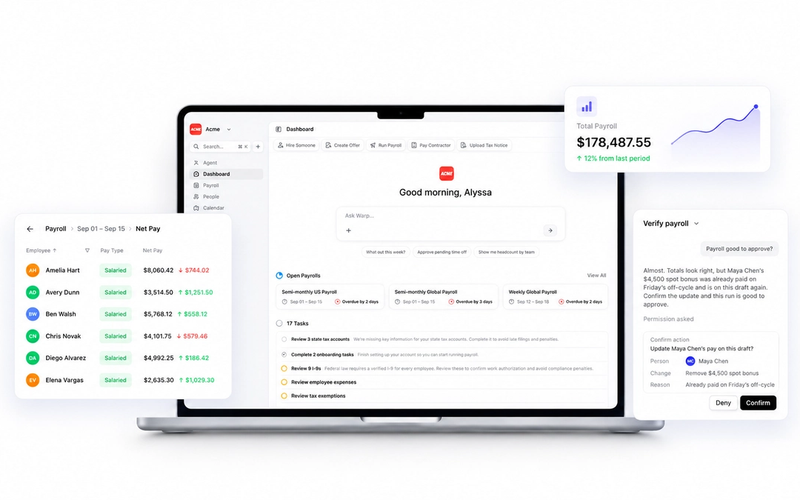
Warp is the only AI-native HR and payroll platform built for ambitious companies. Instead of clicking through clunky dashboards or .gov websites, Warp's AI agents handle I-9 employment verification end to end: employees complete Section 1 directly in Warp, you review their submitted documents in a single dashboard that shows your overall verification rate, overdue items, and who's awaiting review, and Warp generates the federally compliant Form I-9 for you. Every step is logged with a timestamp so your audit trail is always ready, and Warp stores completed forms in your records for the full required retention period.
Interested in learning more? Request a demo today to see if Warp is right for your business.
This article is for informational purposes. Consult legal counsel for guidance specific to your state and workforce.