
Running payroll takes about three business days, according to APQC's cross-industry benchmark study of over 7,000 organizations. But the actual software run takes minutes, so where does the rest of the time go?
We asked people who manage payroll — a CEO doing it himself, a 30-year veteran payroll specialist, a bookkeeper managing multiple clients, a marketing manager who handles her own team, and an equipment leasing payroll admin. The answer was consistent: payroll software solves the run. It doesn't solve the prep, the back-and-forth, or what happens after the checks go out.
APQC's Open Standards Benchmarking database puts the median organization at 3 business days to run payroll, 4 days to get a new hire into the system, and 5 full business days to resolve a single payroll error.
That's a week of back-and-forth from one mistake, and every day an error sits unresolved is a day the compliance clock is running. Errors that, according to the IRS FY2025 Data Book, made up 20% of civil penalties assessed against businesses last year.
Where Payroll Process Time Goes And What To Do About It
1. Pre-Run: Chasing and Verifying Data
Jacob Varghese, CEO of Zion Foodtrucks, does payroll himself for his 16-person team in Colorado. He said: "The tedious part isn't running payroll. It's everything before it: chasing down hours from the shop floor, verifying them, and sorting which hours belong to which truck build. The run itself takes minutes. The detective work takes hours, every single cycle."
Kayli Robles, owner of Robles Bookkeeping, sees the same pattern across her small business clients: "The most time-consuming part of payroll administration is often not processing payroll itself, but reviewing and validating everything that goes into it. I spend significant time double-checking employee hours, confirming pay changes, and reviewing one-off expense reimbursements before payroll is submitted."
The verification and review step isn't optional. A bad input produces a wrong paycheck, a wrong tax calculation, and a wrong accounting entry simultaneously. But most of the detective work Jacob describes is a systems problem, not a people problem. When hours, change requests, and expense reimbursements arrive from different sources in different formats, someone has to reconcile them manually every cycle.
The fix: Employee compensation changes, reimbursements, and time tracking should integrate directly with your payroll system. Kayli's ideal "automate the routine, focus on exceptions and areas that require judgement" is the design principle. If your current stack doesn't support this workflow or these integrations, the minimum viable version is one submission point, one firm deadline, and one person responsible for flagging anything that misses it before the cutoff.
2. Post-Run Cleanup
Cheri Joseph, who has 30 years of payroll experience across roles from Payroll Specialist to Assistant Controller, says the post-run cleanup accounts for a large amount of payroll processing time.
"Going through the emails, listening to voicemails and returning calls, getting the garnishment payments and the Verification of Employment’s out. Cleaning up after processing, which is stressful by itself."
What makes it stressful isn't just the volume. Compliance-critical items and routine administrative work land in the same inbox. One has a regulatory deadline; the other doesn't.
Barbara Robinson, a marketing manager who handles her own team, shared: “I tracked as much as 6 hours in a week wasted on administrative back-and-forth. Then comes the end of the month, we reconcile all the errors that were missed and a regular Friday turns into something nobody planned.”
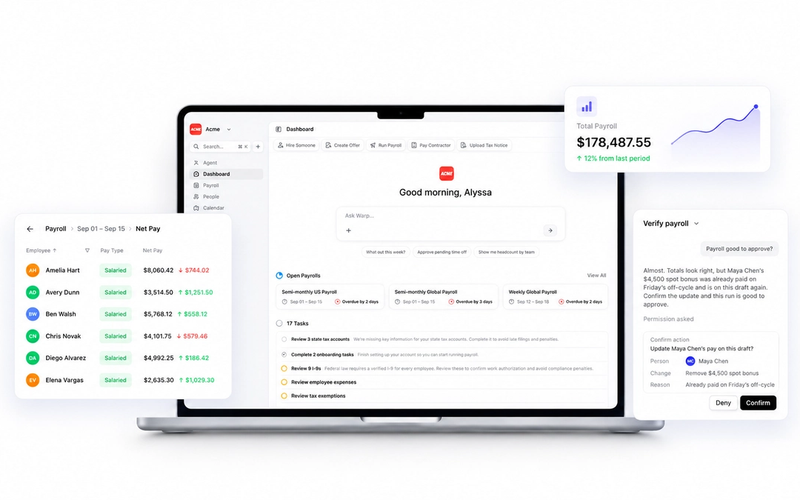
The fix: Route compliance tasks to a dedicated workflow, not your general inbox. Tax notices, quarterly filing confirmations, and employment verifications need their own queue with clear ownership. Warp does this through a compliance inbox: when a tax notice arrives, you upload it, the AI reads it, and the compliance team handles resolution. The payroll admin sees the outcome, not the process. What's left in the general post-run queue is lower-stakes administrative work that's easier to batch and clear.
3. Off-Cycle Adjustments
Cal Singh, who handles payroll for Equipment Leasing Canada, says off-cycle adjustments are the single biggest drain on his time.
"They're pay corrections that happen outside of your regular payroll cycle: retroactive pay adjustments, commission changes, or corrections from a previous payroll that didn't process properly. They don't follow any schedule, and each one requires me to stop everything and redo the calculations from scratch."
His example: "One of our sales reps had a pay change mid-month when a client deal changed. That one change impacted three different aspects of his pay, and I had to go back through weeks of records just to be sure the final number was correct. What I expected to be 20 minutes of work became almost 2 hours. The stopping, context switching, and rechecking — they really are time killers."
The fix: Batching same-day corrections into a scheduled off-cycle run, daily or twice-weekly depending on your states, protects focused work time without delaying employees. Off-Cycle Payroll: What It Is and When You Need It covers how to structure these runs and when they trigger additional state filing obligations.
Payroll Best Practice Metrics Worth Tracking
The APQC benchmarks give us useful targets for evaluating where you stand.
| Metric | APQC Median |
|---|---|
| Time to process payroll | 3.0 business days |
| Time to resolve a payroll error | 5.0 business days |
| Payment error rate | 0.23% |
| Time records processed first-time error-free | 96.0% |
| Employees managed per payroll FTE | 350 |
A payment error rate above 0.5% (more than double the median) typically indicates a data quality problem at the pre-run stage, not the run itself. And if running payroll is taking your organization more than 3 business days, audit and assess where that time is going. Fixing the hours spent collecting data before it, the cleanup after it, and the off-cycle corrections is what actually moves the efficiency numbers and what keeps compliance on track instead of catching up to it.
What would payroll admins do with the time savings? Every person interviewed shared what they’d put that time towards: trend analysis, process improvement, forecasting, and answering meaningful questions about labor cost.
“By freeing up 2 or 3 hours of time per week on data entry and reconciliation, the payroll administrator has an opportunity to identify trends, anticipate budget risks and provide additional value to the department beyond simply processing timesheets.” - Barbara Robinson.
For a closer look at what it costs to stay on a platform that doesn't automate compliance, the hidden cost of the wrong payroll platform breaks down the math.
FAQ
How long should it take to process payroll?
The APQC cross-industry median is 3 business days. The biggest time variable is the pre-run data collection phase; the actual software run takes minutes once data is validated. Organizations that have automated data collection and exception handling tend to operate below the 3-day median.
What is a good payroll error rate?
The APQC cross-industry median is 0.23% of total payroll disbursements. An error rate above 0.5%, more than double the median, typically indicates a data quality problem at the pre-run stage. Separately, 96% of time records are processed first-time error-free at the median, meaning organizations with first-pass accuracy below 90% have significant pre-run process gaps to close.
What are the most common payroll mistakes?
The most frequent errors occur in data collection (incorrect hours, missing change requests), employee classification, and off-cycle adjustments that don't get properly documented. Post-run errors, like miscalculated garnishments or missed verifications, are also common but rarely tracked as "payroll errors" because they happen after disbursement.
How many employees can one payroll person handle?
The APQC benchmark is 350 employees per payroll FTE at the median. High-performing organizations exceed this through automation and streamlined workflows. If you're below 200 employees per FTE, there's typically significant process improvement available before you need to add headcount.
APQC benchmarks reflect cross-industry medians from the APQC Open Standards Benchmarking database. Your organization's figures will vary by size, industry, and payroll complexity. This article is for informational purposes only and is not intended as legal or tax advice.