
Although most of a startup’s revenue comes from its customer-facing front roles, its back office keeps the business running smoothly. Startups often don’t have the resources to hire entire teams for this behind-the-scenes work, so they rely on back office software to help them manage everything from payment processing to payroll.
This technology keeps their back office running smoothly, reduces inefficiencies and mistakes caused by human error, and identifies new ways to cut costs and increase profits. However, some tools are better for your startup than others, so it’s important to build your back office tech stack around your particular needs.
Here’s what early-stage startup founders need to know about choosing the best tech stack for their company:
- What should you look for when choosing back office software?
- Our top picks for a startup’s back office tech stack
- Simplify your payroll operations with Warp
What should you look for when choosing back office software?
Ultimately, you want to make sure the tools you choose are designed with startups in mind. Back office software for enterprises, for instance, would likely have many features you won’t need — and an enterprise-level price tag to match.
Instead, think about what tasks your company needs help with and choose solutions that solve or automate them. Here are five other considerations to keep in mind.
Ease of use
The software you choose should be easy for you and your team to use, with an intuitive interface that’s accessible on your preferred browsers and mobile devices.
Look for tools that offer free trials so you can test out the product before buying — and then set aside time to fully test and evaluate the features you need most. If you need software with workflow automation, for example, make sure it will actually work with the way your company does business.
Also check whether you’re able to get in touch with the support team easily. Reach out to customer service with questions as you shop around for solutions, and gauge how long it takes for them to respond to any questions or concerns you have about the product while you’re testing it out.
Scalability
If you expect your startup to grow quickly, you’ll need back office tools that can scale with you. You don’t want to invest time and money in a solution only to realize you’ll need a different one in nine months.
Think about the tools and features your startup needs today — and what those needs might look like two or three years down the road. Look first for software with tiered pricing models, and then check that each successively higher tier comes with features your company will likely need as it scales.
Also confirm the number of seats that come with an account, and whether you can add more users at a reasonable price if you need to. This will help you determine how accommodating these solutions can be for startups experiencing quick growth.
Cost
Every dollar in a startup’s budget is carefully considered and allocated to initiatives that will increase the company’s revenue. There’s not much left to spend on tools with a low return on investment. Budget-friendly, effective solutions are the way to go here.
In addition to the monthly subscription cost, ask each provider if there are any other fees you should know about, like setup or cancellation fees. Also check what upkeep processes and maintenance features come with each software. Do they offer unlimited data storage or software upgrades at no extra cost?
Data security
Many back office solutions store their client companies’ sensitive personal or company information, like customer credit card numbers, employee Social Security numbers, and vendor banking information. That’s why data security is a crucial, but often overlooked, feature to consider when choosing back office tools.
A report from Proxyrack found that data breaches cost US companies $9 million on average — the highest of any country in the world. So, it’s important that your tools have the security in place to prevent these attacks. Ask potential providers what protections they have to secure your data, and how often they update their security measures.
Check whether they offer user access controls as well. This feature enables you to choose which users have access to different levels of information on the platform. An accounting tool might allow you to grant your accountant full access to your books, while the rest of your employees may only need to track their hours on the platform.
Integrations
The integrations offered by a prospective platform is another feature to factor into your decision. Ideally, you want your tool to connect with the other software you use to run your business. This allows the tools in your ecosystem to easily share data with each other, making your team more productive and efficient in the process.
Make sure your chosen tool connects not just with the software you have now, but the ones you plan to use in the future too. If not, don’t give up on it just yet — check whether you can connect it to your tech stack with an integration tool like Zapier instead.
Our top picks for a startup’s back office tech stack
Every startup is different, so what works for one may not work for another. But no matter the industry, here are five tools most early-stage startup back office teams will find useful.
Mercury for banking
Although its offerings make it seem like a business bank, think of Mercury as a fintech company geared toward startups instead. With features like business checking and savings accounts, corporate credit cards, venture debt funding, and treasury services, Mercury serves as a startup’s bank, spend management software, and treasury all in one.
All checking and savings accounts are FDIC-insured and offered through Evolve Bank & Trust and Choice Financial Group. Companies that bank with Mercury also have the option to customize how they spend their money, using spend management tools like merchant-locked cards and spend limits.
Best of all, Mercury offers developer access to its banking software so startups can fully customize the way they manage their funds.
Pricing:
- Checking and savings accounts with no opening or monthly fees
- Users may be charged fees for Mercury Treasury account management, currency exchange in currencies other than USD, and other features
Stripe for payment processing
Stripe is one of the biggest players in the payment processing industry, thanks to its transparent pricing structure and the customization it provides. Features like subscriptions, flexible card programs, risk management, and automated financial workflows make it ideal for most startups too.
The company accepts over 135 currencies and a wide variety of payment methods (including PayPal, Cash App Pay, and Klarna). Meanwhile, Stripe APIs allow businesses to customize the look and feel of their payment experience from beginning to end. If you need help with your account, the platform offers users 24/7 customer support for any and all issues that come up.
Pricing:
- Standard pricing: 2.9% plus $0.30 per successful charge for domestic cards
- Custom package: Contact sales
Stable for virtual mailboxes
Stable offers virtual address and mailroom services, making it an ideal solution for startups that operate outside of the state they’re registered in. The company scans and digitizes your mail as it gets delivered to your permanent business address so you can access it from anywhere.
Encrypted file storage and other security features mean your most sensitive personal and business information remains safe in your virtual mailbox. You can also set up automations that streamline your mail operations and save you more time.
If you want to change your current business address, Stable provides you with pre-filled paperwork, instructions that guide you through the process, and additional resources that help you stay compliant with guidelines from the IRS, your state, and your bank.
Pricing:
- Grow: $39 per month for one user, $5 per month per additional user
- Scale: $89 per month for one user, $30 per month per additional user
- Custom: Contact sales
Fondo for accounting
Backed by Y Combinator, Fondo is an all-in-one accounting software that helps startups manage their bookkeeping, tax filing, and tax credits.
Use its bookkeeping services to close your books and get financial reports from your dedicated accountant every month, quarter, or year, depending on which pricing tier you choose. You can also opt for an annual subscription that pays for your international, federal, and state tax return filings for the tax year.
The biggest opportunity for savings, however, lies in Fondo’s tax credit services. The platform looks for tax credits that your company qualifies for and submits the appropriate paperwork for them — a process that can get your startup up to $500,000 each year. You don’t get charged for this service until you actually receive money back, which means that this service can be well worth the cost.
Pricing:
- Annual bookkeeping: $850+ per year
- Quarterly bookkeeping: $1,098 per quarter
- Monthly bookkeeping: $499+ per month, depending on your monthly expenses
- Additional fees apply for tax filing and tax credit recovery services
Warp for payroll and benefits
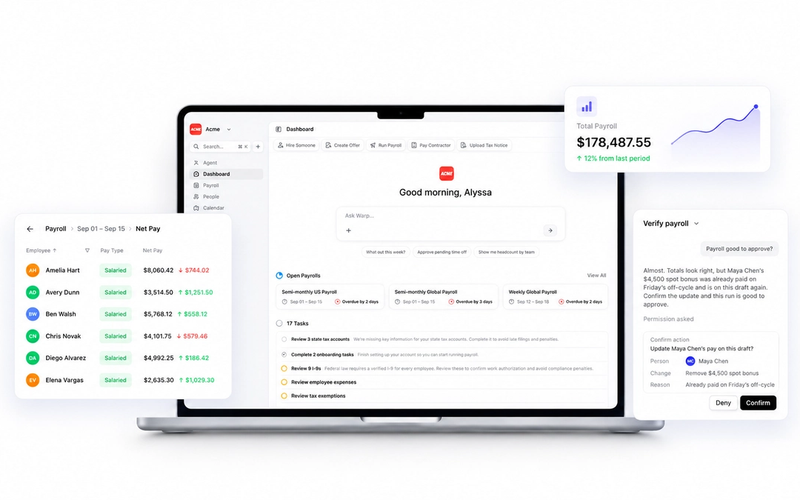
Warp’s software helps startups manage payroll and compliance for their employees, as well as domestic and international payments for their independent contractors. Pay your contractors wherever they are in the world with same-day payments and the best exchange rates for over 100 countries.
Our platform handles payroll tax and unemployment insurance filing in all 50 states so you don’t have to. We also help startups manage their other HR responsibilities, from benefits administration and PTO to contractor agreements and employee offer letters. Startups can take advantage of affordable health plans from all major insurance carriers, no matter the size of their workforce.
And since it only takes teams an average of four days to transition from their old payroll system to Warp, you can rest knowing that your HR operations will experience little to no downtime.
Pricing:
- Basic: $49 per month, plus $20 per person per month
- Pro: $79 per month, plus $25 per person per month
- Premium: $129 per month, plus $45 per person per month
Simplify your payroll operations with Warp
While your accounting software or virtual mailbox won’t necessarily be the deciding factor in your startup’s success, choosing the tools that work best for your organization brings considerable advantages for startups looking to grow fast and outperform their competitors.
Payroll operations, for instance, can easily turn into a headache for startup founders — and even more so if they have employees in multiple states or contractors outside the US.
Warp’s payroll software helps ease some of this burden by automating many of the tasks that may turn into a compliance issue for startups, including state payroll tax registration, payroll tax withholdings, and unemployment insurance contributions. Sign up for a demo today and learn how Warp can help support your business and your workforce as they scale.