
If you're reading this, your payroll provider is probably causing more problems than it solves. Maybe it's the tax notices piling up, the support tickets that go nowhere, or the slow realization that you're paying enterprise prices for software that still makes you manually register in every new state.
You're not alone. According to EY's 2023 Global Payroll Survey, only 14% of companies rate their payroll provider as "very good" at accuracy, and just 2% give high marks for problem resolution. The bar is low, and most providers still trip over it.
The good news: switching is far easier than it used to be. With modern platforms and proper planning, most companies complete the transition in one to two weeks, often with less than two hours of actual work on their end.
Here's exactly how to do it.
5 signs it's time to switch payroll providers
Not every frustration warrants a full payroll provider migration. But if you're experiencing multiple issues from this list, the cost of staying probably exceeds the cost of switching.
1. Tax errors and notices
Missed filings, incorrect withholdings, or frequent letters from state agencies are the clearest signal something is broken. These aren't minor inconveniences. They're compliance failures that can result in penalties ranging from a few hundred dollars to tens of thousands.
2. Slow or unreachable support
When payroll questions come up (and they always do), you need answers fast. If your provider routes you through chatbots, offshore call centers, or hour-long hold queues, that's time you're losing from actually running your business.
3. Manual compliance work
Are you still logging into state agency portals yourself? Still tracking registration deadlines in spreadsheets? Modern payroll platforms handle this automatically. If yours doesn't, you're doing work the software should be doing for you.
4. Hidden fees and unpredictable pricing
Base price, plus per-employee fees, plus implementation fees, plus fees for off-cycle runs, W-2s, and state filings. If you can't predict your monthly payroll cost, that's a problem, especially for startups managing burn.
5. You've outgrown the platform
What worked at 5 employees often breaks at 50. If you're hiring across multiple states, adding contractors, or expanding benefits and your provider can't keep up, it's time to find one that scales with you. This is especially common for startups leaving PEOs like Justworks or TriNet as they grow.
When is the best time to switch payroll providers?
The conventional wisdom is to switch on January 1st. That's the cleanest option: your new provider handles all filings for the year, and there's no historical data to migrate.
But here's the truth: you can switch at any time, including mid-year.
Modern payroll platforms can import your year-to-date data so employees receive a single, consolidated W-2 at year end. No dual W-2s, no reconciliation headaches. If your current provider is causing errors, missing deadlines, or draining your time, waiting until January often makes things worse.
The second-best time is the start of a quarter. This simplifies tax reporting since quarterly filings align cleanly with your transition. But it's not a requirement.
Bottom line: The best time to switch is when your current provider is costing you more in time, errors, or stress than the migration would require.
→ Warp can help you migrate from your old payroll provider. Learn more here.
What you'll need before switching
Gathering the right information upfront makes the migration significantly smoother. Most providers will need:
- Company information (EIN, state tax IDs, business address, bank account for payroll funding)
- Employee data (names, SSNs, addresses, salary or hourly rates, direct deposit info, W-4 withholdings)
- Year-to-date payroll records (pay history, tax withholdings, deductions for benefits, 401k, and garnishments)
- Recent tax filings (copies of 941s, state filings, and any tax notices received)
- Benefits information (current health insurance plans, 401(k) provider details, carrier contacts)
Most of this can be exported directly from your current provider's dashboard. Before you begin, check your existing contract for cancellation terms, notice periods, and any early termination fees.
How to switch payroll providers: step by step
Step 1: Choose your new provider
Not all payroll platforms are built the same. Before committing, evaluate providers on what matters most for your situation.
Does the platform handle multi-state compliance automatically, or will you still be registering with agencies yourself? What's the actual support response time: minutes or days? Is pricing transparent and predictable? Can you run unlimited payroll cycles without extra fees? And critically: do they help with the migration, or leave you to figure it out alone?
Switching from Gusto or Rippling specifically? See our comparison of Gusto alternatives
Step 2: Lock in your timeline
Work backward from your first pay date with the new provider. Most migrations take one to two weeks, but complex setups (multiple states, unique pay configurations, or benefits coordination) may take two to three weeks.
Establish three key dates: when your last payroll run with the old provider will be, when your new account needs to be fully set up, and when your first payroll run with the new provider will occur. Don't cancel your old provider until you've successfully run at least one payroll on the new system.
Step 3: Export your data
Request or export the following from your current provider: employee census data, year-to-date payroll reports, tax filing records, benefits enrollment details, and any open tax notices.
Some providers make this easy with one-click exports. Others don't. If your current provider is dragging their feet, document everything. You may need to escalate. Good providers on the receiving end can often pull data directly if you grant access to your existing account.
Step 4: Set up your new account
This is where the quality of your new provider becomes apparent. The best platforms handle most of the setup work for you: importing employee data, transferring or opening state tax accounts, and connecting to your existing benefits carriers.
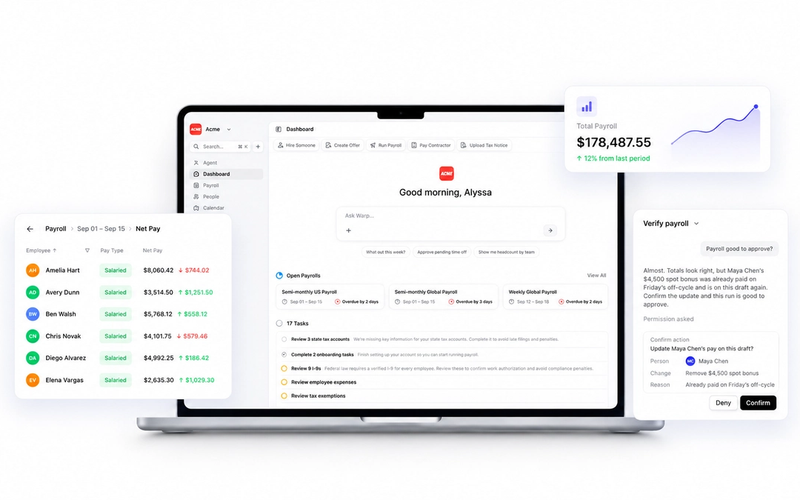
Warp is the only AI-native HR & Payroll platform built for startups. Instead of clicking through clunky dashboards or .gov websites for taxes, Warp's AI agents open every state tax account, file every payroll form, and resolve every tax notice automatically. Our migration team imports your data, handles all state and federal tax account transfers, coordinates with benefits carriers, and runs verification checks before your first payroll. Most companies spend under two hours total on the migration. We handle the other 40+ hours of work.
Step 5: Verify everything before go-live
Before your first live payroll run, verify that employee information matches your records, pay rates and deductions are configured correctly, tax withholdings align with W-4s, direct deposit accounts are validated, and benefits deductions are set up properly.
Run a parallel check if possible. Calculate what payroll should look like and compare it to what the new system produces. This catches errors before they affect anyone's paycheck.
Step 6: Notify your team
Your employees don't need to do much, but they should know a change is happening. Send a brief heads-up explaining that pay dates won't change, direct deposits will continue as normal, and here's how to access the new employee portal for pay stubs and tax forms.
If your new platform has employee self-service features (like updating direct deposit info or downloading W-2s), this is a good time to highlight those benefits.
Step 7: Close your old account
Once you've run at least one successful payroll on the new system, cancel your old provider. Make sure to clarify who is responsible for end-of-year filings, specifically W-2s for employees paid through both systems. If you switched mid-year with proper data migration, your new provider should handle consolidated W-2s for the full year.
Archive all historical records from your old provider before closing the account. You'll need to retain payroll records for at least three years per federal requirements.
Common mistakes to avoid
Canceling too early
Don't terminate your old provider until you've verified the new system works. Running both systems in parallel for one pay period is worth the extra cost.
Forgetting about tax account transfers
If your new provider isn't taking over your existing state tax accounts, you may end up with two providers filing on your behalf, or neither. Clarify who owns what.
Ignoring benefits coordination
If you're switching payroll providers but keeping the same health insurance or 401(k) providers, someone needs to coordinate the handoff. Make sure deduction amounts and carrier connections transfer correctly.
Underestimating the timeline
Starting the process one week before payroll is due creates unnecessary stress. Give yourself at least two weeks, ideally three for complex setups.
What if I switch payroll providers mid-year?
This is the question that stops most companies from making a needed change. The fear of dual W-2s, broken tax filings, and reconciliation nightmares keeps founders stuck with underperforming providers.
Here's how it actually works: your new provider imports your year-to-date payroll data (every pay run, every tax withholding, every deduction). When it's time to issue W-2s in January, the new system generates a single, consolidated form covering the entire year.
The key is choosing a provider that offers proper mid-year migration support. At Warp, we import all historical data and verify everything balances before your first payroll run. No dual W-2s, no reconciliation headaches.
Leaving Rippling? Compare three alternatives without the enterprise overhead
What if you're stuck in a contract?
Many payroll providers, especially enterprise-focused ones like Rippling and ADP, lock customers into annual contracts. If you're unhappy but contractually bound, you have a few options.
You can wait it out and time your switch with contract end. You can negotiate early termination, especially if you can document service failures or compliance issues. Or you can look for providers that offer contract buyouts to help you make the switch.
Warp offers contract buyouts up to $1,000 for startups stuck in contracts with other providers. We handle the full migration for you, so you can switch without waiting for your contract to expire.
Ready to switch payroll providers?
Switching payroll providers is one of those tasks that always seems harder than it is, until you actually do it. With the right provider and proper planning, most companies complete the transition in under two weeks with minimal effort.
If you're considering a switch, Warp's migration team handles everything: data import, tax account transfers, benefits coordination, and verification. We've migrated hundreds of companies from ADP, Gusto, Rippling, Paylocity, Paychex, and others.
Every company gets a dedicated Account Manager and Benefits Advisor included to guide them through payroll setup, multi-state expansion, and benefits selection, so you don't have to spend hours on hold with tax agencies or worry about compliance mistakes.
Learn more about our migration process or talk to our team about your specific situation.
Frequently Asked Questions
Can you switch payroll providers mid-year?
Yes. Modern payroll platforms can import your year-to-date data (every pay run, tax withholding, and deduction) so employees receive a single, consolidated W-2 at year end. The key is choosing a provider that offers proper mid-year migration support. At Warp, we import all historical data and verify everything balances before your first payroll run, so there are no dual W-2s or reconciliation issues.
How long does it take to switch payroll providers?
Most companies complete the transition in one to two weeks, with less than two hours of actual work on their end. Complex setups involving multiple states, unique pay configurations, or benefits coordination may take two to three weeks. At Warp, our migration team handles the other 40+ hours of work so you can focus on running your business.
What data do I need to switch payroll providers?
You'll need your company information (EIN, state tax IDs, business address, bank account), employee data (names, SSNs, addresses, pay rates, direct deposit info, W-4 withholdings), year-to-date payroll records, copies of recent tax filings (941s, state filings, any tax notices), and benefits information if applicable. Most of this can be exported directly from your current provider's dashboard.
Will my employees get two W-2s if I switch mid-year?
Not if your new provider handles mid-year migrations properly. With proper data import, your new provider generates a single W-2 covering the entire calendar year, including wages paid by your previous provider. Always confirm your new provider offers consolidated W-2s before switching.
Can I switch payroll providers if I'm stuck in a contract?
Yes. You can wait for your contract to end, negotiate early termination (especially if you can document service failures), or look for providers that offer contract buyouts. Warp offers contract buyouts up to $1,000 for startups stuck with other providers.
What happens to my state tax accounts when I switch?
This depends on your new provider. Some require you to keep managing your own state tax accounts, while others take over completely. Warp's AI agents transfer or open every state tax account automatically, so you never have to log into a .gov website or negotiate with tax agencies yourself.
Do I need to notify my employees when switching payroll providers?
Yes, but they don't need to do much. Send a brief heads-up explaining that pay dates won't change, direct deposits will continue as normal, and provide instructions for accessing the new employee portal for pay stubs and tax forms.