
Most guides about employee onboarding software focus on which tool looks the best. But for a growing company with a lean people ops team, the real challenge is what happens behind the scenes during onboarding.
You need to open state tax accounts, set up payroll correctly from the start, provide IT access, and send a census file to the benefits carrier before coverage begins.
This guide is for teams ready to automate these tasks. It explains what automated employee onboarding software actually does, what it typically leaves you to handle, and how to approach the three-layer problem that often causes issues for fast-growing companies.
What Employee Onboarding Software Should Do
Employee onboarding software helps automate the process of bringing a new hire into your company. At its most basic, it collects documents like W-4s and I-9s, handles e-signatures, manages task checklists, and supports new hire communication.
The better platforms extend into role-based task assignment, HRIS record creation, benefits enrollment workflows, and integrations with payroll systems.
What almost none of them handle automatically: opening your state tax accounts when you hire in a new location, registering your business for unemployment insurance, configuring payroll withholding for the correct jurisdiction, provisioning the new hire's software access, or resolving the tax notice that shows up three months later because an SUI rate was set up incorrectly.
This gap is more important than most guides admit. For example, when you hire your first employee in California, you must register with the EDD for unemployment insurance and SDI, set up state income tax withholding with the FTB, and file a DE 34 new hire report within 20 days of the start date. None of this lives in a portal. It is compliance work, and it falls entirely on your team unless your platform handles it automatically.
Multi-state payroll compliance can quickly become complicated, too. If you hire one person in Colorado, one in New York, and one in Texas, you now have to manage different tax accounts, filing calendars, and withholding rules for each state. Most onboarding and payroll software does not handle these tasks.
The Three Layers of Employee Onboarding
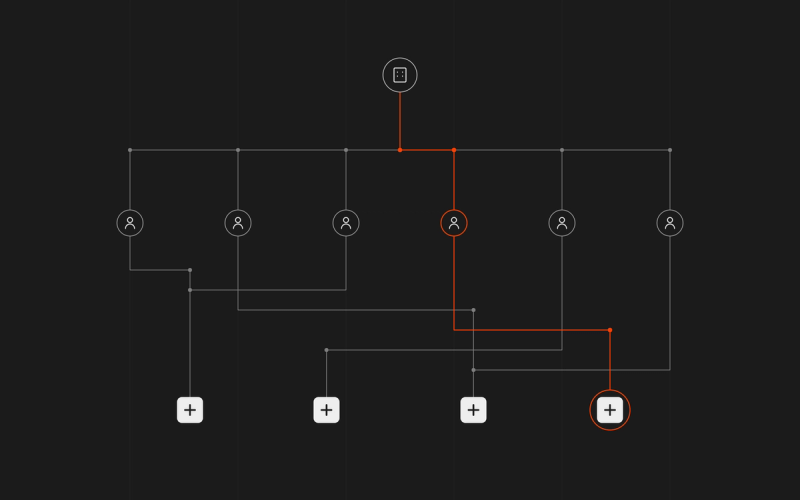
People ops teams often feel overwhelmed after their tenth or twentieth hire, not because they picked the wrong checklist, but because the problem has three layers. Most onboarding software only solves one of them.
1: The workflow
This layer includes digital forms, e-signatures, task checklists, benefits enrollment portals, welcome emails, and HRIS record creation. Almost every onboarding tool covers these basics. They are important, but they are just the starting point.
2: The compliance layer
State tax account registration, new hire reporting to state agencies, SUI and SDI enrollment, payroll tax configuration, Form I-9 audit readiness, and ongoing notice resolution. For companies scaling across states, this is where the real risk lives. This is also where most tools stop entirely.
3: The IT layer
This layer covers setting up software access, devices, and SSO accounts, as well as onboarding with Google Workspace or Okta. It also includes quickly removing access when someone leaves. Most teams handle these tasks manually through IT tickets and Slack messages, but the coordination overhead quickly becomes unsustainable.
The difference between a smooth new hire experience and a chaotic one usually comes down to whether you cover all three layers or just the first.
What Automated Employee Onboarding Actually Means
Before you evaluate any platform, it is important to separate two things that are both called "automation" but are actually very different.
Surface automation is what most onboarding tools offer: task triggers, automated reminder emails, workflow routing, and form pre-population. A new hire gets added, a checklist fires, reminders go out until items are ticked off. This is genuinely useful. It is also still a manual system with automated nudges. Someone on your team still has to open state tax accounts, configure payroll for the new jurisdiction, provision IT access, and activate benefits with the carrier. The platform tells you what to do. You do it.
Deep automation is something different. The platform takes action on your behalf. Not just surfaces a task but completes it. State tax account opens the moment a new hire is added in a new state. Payroll configures for the correct jurisdiction without anyone touching a setting. IT access provisions across Google Workspace, Okta, and connected tools the moment onboarding is complete. Tax notices get resolved by AI agents without a ticket being created.
Most platforms offer surface automation but advertise it as full automation. This difference is important for ops teams because surface automation means your workload grows with every new hire. Each new hire in a new state adds more registrations for your team. Deep automation, on the other hand, keeps compliance and IT work almost the same, no matter how quickly you hire.
Unpacking the Compliance Layer
It is important to be clear about what the compliance layer includes, because this is where the difference between "onboarding software" and "onboarding infrastructure" matters most.
The United States has no unified employer registration system. Every state is its own tax jurisdiction, with its own agencies, accounts, forms, and filing deadlines. When a company hires its first employee in a new state, it typically needs to:
- Register for state income tax withholding with the relevant revenue or taxation department
- Register for state unemployment insurance (SUI) with the labor department
- Register for state disability insurance (SDI) where applicable (California, New York, New Jersey, Hawaii, Rhode Island, and Puerto Rico each have their own programs)
- File a new hire report with the relevant state agency within 20 days of the hire date
- Secure workers' compensation coverage before the employee's first day
Each of these steps involves a different agency, a different online portal, and a different processing timeline. If your people ops team is expanding into three states at once, you might be handling nine or more separate registrations. If you miss one, you could get a notice months later. The penalty for missing a step often costs more than the tool that could have prevented it.
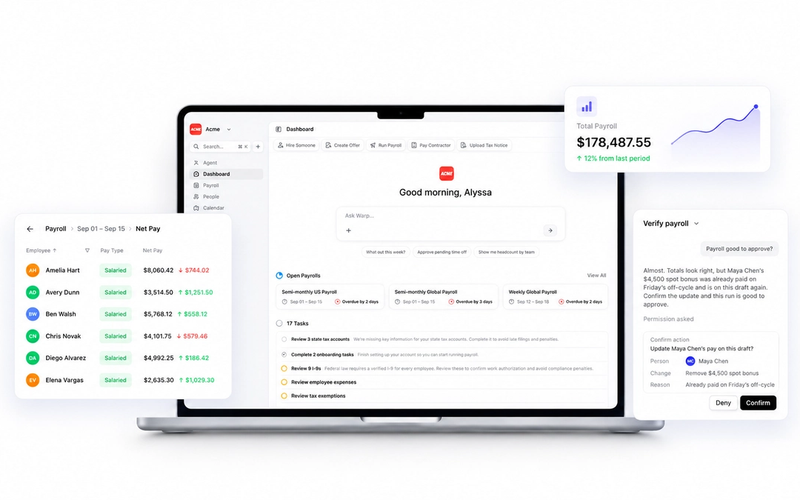
Warp automatically handles all registrations when a new state is added to your account. You do not need to delegate tasks, follow a checklist, or use government portals. The compliance layer works on its own.
What to Look for in Automated Employee Onboarding Software
Most reviews focus on surface features like e-signatures, workflow templates, and how many integrations a platform has. These are important, but for a growing team facing real compliance risks, these four questions will help you find platforms that truly automate the work instead of giving it back to you:
Does it open state tax accounts automatically? When you hire in a new state, who registers with the relevant agencies: your team or the platform? This single question eliminates most onboarding tools from consideration.
Does it configure payroll correctly from the first payroll run? When a new hire completes their tax forms, does payroll automatically update with the right jurisdiction, withholding rules, and pay schedule? Or does someone have to cross-reference that manually and hope it is right?
Does it deliver fully automated employee onboarding across HR and IT in one flow? If your new hire has to wait for a separate IT workflow to create accounts and enroll their device, you do not have automated onboarding. You have automated paperwork plus a manual IT process waiting downstream.
What happens when a tax notice arrives? State tax notices are a normal part of running multi-state payroll. They come in on their own schedule. How your platform handles them, whether it routes the notice to your inbox or resolves it automatically, determines how much operational drag they create over time.
If you are building out payroll infrastructure from scratch or expanding into new states for the first time, the multi-state compliance guide covers what triggers obligations in each state and what your team needs to have in place before the first hire lands.
Common Mistakes Growing Companies Make with Onboarding Software
Treating onboarding as a paperwork problem. Onboarding is not done when the new hire signs their offer letter and uploads their I-9. Payroll needs to be configured. State accounts need to exist. IT access needs to be provisioned. Benefits need to be activated with the carrier, not just selected in a portal. Solving only the paperwork layer creates the appearance of a complete system while leaving the compliance and IT layers entirely manual.
Skipping the payroll integration review. If your onboarding tool and payroll system do not connect properly, every new hire creates data re-entry work. More dangerously, if the integration syncs name and start date but not tax jurisdiction or withholding details, it creates false confidence that payroll is configured when it is not. Verify exactly what transfers automatically before committing.
Ignoring multi-state complexity until you are already in it. By the time a people ops team receives a notice from a state revenue department about a missing SUI registration, the company has typically been out of compliance for months. The time to evaluate whether your platform handles multi-state registrations automatically is before the first out-of-state hire, not after the first notice.
Leaving offboarding as a manual process. Access de-provisioning is part of the onboarding system. A departed employee who still has access to production systems, internal tools, or company email is a security and compliance issue. Any platform worth evaluating should handle offboarding with the same automation it applies to onboarding, triggered by the same employment status change, not a separate IT ticket.
FAQ
What is automated employee onboarding software?
Automated employee onboarding software handles the administrative, compliance, and IT tasks involved in bringing a new hire into your organization without requiring manual follow-through from your team. At the surface level, it automates forms, e-signatures, task checklists, and reminders. At a deeper level, the strongest platforms automate state tax registrations, payroll configuration, IT provisioning, and tax notice resolution. The compliance and IT layers run without your team having to coordinate each step.
What should employee onboarding software include for multi-state teams?
For teams hiring across states, onboarding software should automatically handle state tax account registration in each new state, configure payroll withholding for the correct jurisdiction, file new-hire reports to state agencies within the required window, and resolve state tax notices without requiring manual follow-up. Most platforms do not cover these capabilities natively. They surface the requirements and expect your team to act on them.
Does onboarding software handle offboarding too?
The strongest platforms treat onboarding and offboarding as two sides of the same automated system. Warp handles both: when employment ends, Warp Fabric automatically de-provisions the departed employee's software access and devices across all connected systems. This closes the gap between an employee's last day and the moment their access is actually revoked, a gap that creates real security exposure when managed manually.
Choose Onboarding Infrastructure, Not Just Onboarding Software
Automated employee onboarding software is not a solved category for scaling companies. Most platforms solve Layer 1, the paperwork, and leave compliance and IT provisioning as problems your team inherits. For a large company with dedicated HR, IT, and legal functions, that is a manageable trade-off. For a company scaling fast across states, the complexity does not go away. It just moves somewhere less visible until it surfaces as a notice, a security gap, or a compliance penalty.
Warp is built to eliminate all three layers of that complexity. If you want a new hire to go from offer accepted to day-one ready without your team having to touch a government website, manually configure a payroll profile, or file multiple IT tickets, Warp handles it.